
Copy your Nedap UHF parking tag - Clone From Home Kit
Nedap uPASS Clone From Home
Copy a Supported Nedap uPASS UHF Parking Tag at Home
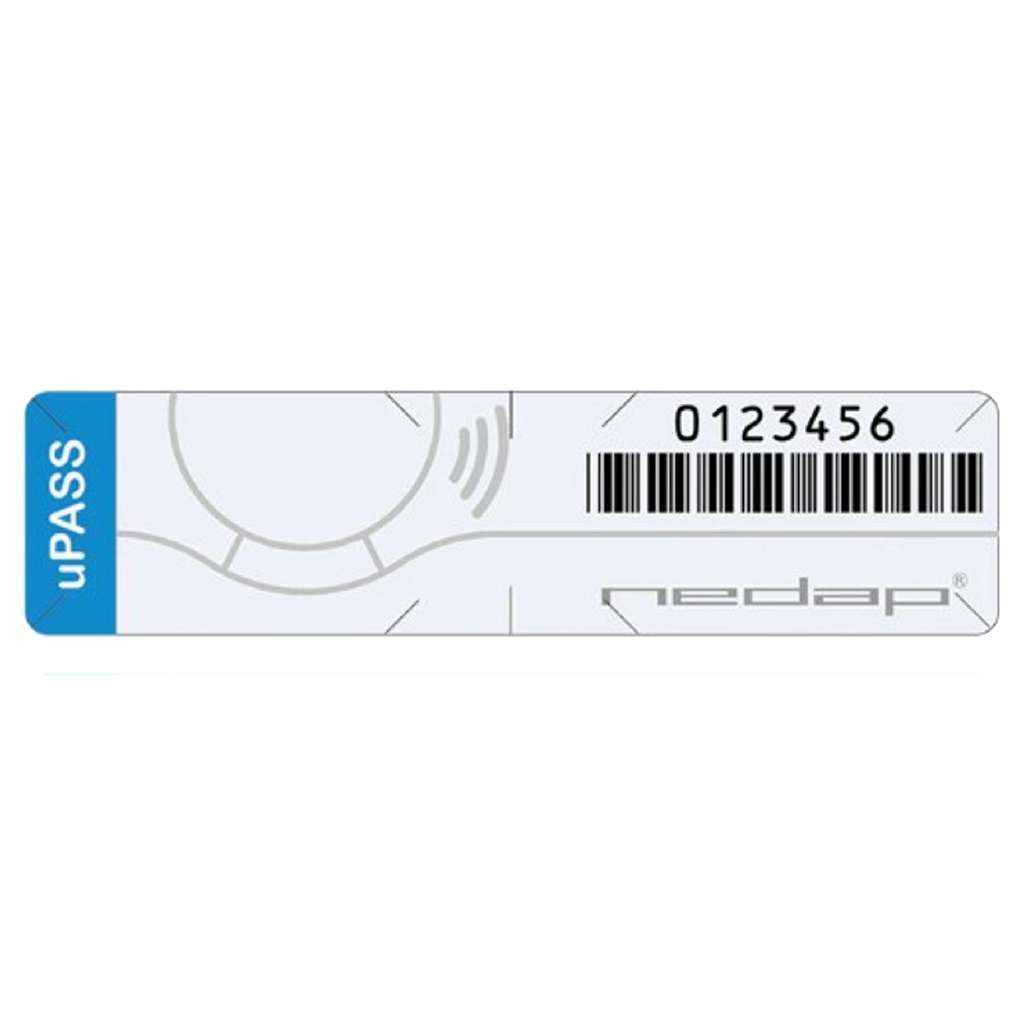
Use Sumokey's Clone-From-Home workflow to create an authorized copy of a supported Nedap uPASS UHF windshield parking tag. Confirm the original model and product options before ordering.
This page is for the Nedap uPASS-style windshield tag—not the separate Nedap Smartrac DogBone sticker.

Confirm the original before purchase
Check the complete original tag, visible Nedap/uPASS markings, shape, and serial or ID format. A UHF label or a similar-looking windshield sticker alone does not confirm compatibility.
If the tag says Smartrac or DogBone, review the separate Nedap Smartrac DogBone product. If uncertain, email photos to support before ordering.
Who this product is for
Original credential
Nedap uPASS UHF windshield tag
You have a working, authorized original used for a compatible apartment, condo, or shared garage-access system.
Needed outcome
A compatible windshield-tag copy
You want a supported copy for an authorized vehicle or backup and can follow the current Sumokey UHF instructions.
Choose your duplication format
Select the format that fits your use case in the live product options.
Recommended when range matters
UHF Card Tag
Choose the UHF Card Tag when range is the priority. It provides better range than the UHF Windshield Sticker.
Windshield format
UHF Windshield Sticker
Choose this adhesive windshield option when that format fits your installation. The hero image label “UHF Sticker” refers to this UHF Windshield Sticker option.
What your configured order includes
Copy format
Your selected UHF tag
Select the UHF Card Tag or UHF Windshield Sticker in the live product options. Confirm the current quantity, variant, and pricing details.
Kit selection
Required UHF equipment
Select the live kit option that applies to your order. Review the product options for current device, cable, rental, return, and pricing details.
Guidance
Instructions and support
Follow the current UHF duplication instructions and contact Sumokey if the model, setup, or product option is unclear.
What you need before starting
- Your working, authorized original Nedap uPASS UHF parking tag.
- A clear view or photo of its complete markings and visible serial/ID.
- The compatible UHF Card Tag or UHF Windshield Sticker selected with the configured order.
- The required Sumokey UHF equipment and connection accessories specified by the live product option.
- A computer that meets the requirements in the current UHF instructions.
Important: The source product states that tags purchased elsewhere are not supported by this cloning kit.
How the Clone-From-Home process works
- Confirm the tag. Compare the original's model, appearance, markings, and serial/ID with this product's requirements.
- Configure the order. Select the copy quantity and the UHF equipment option required for your workflow.
- Review the setup. Use the current instructions to prepare the supported computer and UHF equipment.
- Create and test the copy. Follow the documented workflow, then test the finished tag where the authorized original is expected to work before relying on it.
Set the right expectations
- Compatibility depends on the original tag and access system; visible UHF or Nedap branding alone is not sufficient.
- Keep the original until the copy has been tested successfully at each authorized entrance where it is needed.
- Follow the handling or placement guidance supplied for your selected UHF Card Tag or UHF Windshield Sticker.
- Only copy a credential you own, manage, or have permission to duplicate.
Nedap uPASS UHF parking-tag questions
Is this for a Nedap uPASS windshield parking tag?
Is a Nedap Smartrac DogBone sticker the same product?
Do I need the original Nedap parking tag?
Which duplication format should I choose?
What should I send for a compatibility check?
Can I use a UHF tag purchased elsewhere?
What computer and equipment do I need?
Related UHF resources
Not sure whether your tag is Nedap uPASS?
Email clear photos of the complete original, visible markings, and serial/ID before ordering.
Nedap and uPASS are trademarks of their respective owner. Sumokey is not affiliated with or endorsed by Nedap. Product names are used only to describe compatibility.