


Copy your Salto PFM04K / PFM01K key fob - Clone From Home Kit
Copy Your Salto PFM04K or PFM01K Key Fob at Home
Make an authorized backup of a supported Salto PFM04K or PFM01K key fob with Sumokey. Select an aftermarket blue fob, credit-card-size white card, or OEM-style fob, then add the cloning device if your selected workflow requires one.

At a glance
- ✓ Intended for supported PFM04K / PFM01K originals
- ✓ Choose a blue fob, white card, or OEM-style fob
- ✓ Add the cloning device only if needed
- ✓ Complete the supported workflow from home
- ✓ Setup guidance and email support
Confirm PFM04K or PFM01K before ordering
This product is intended for an original credential identified as Salto PFM04K or Salto PFM01K. Check the model markings on your original before placing the order.
Have a PFD04K or cannot find the model? Do not assume it uses the same product. Email clear front-and-back photos and visible markings to support@sumokey.com for review before ordering.
Choose your credential format
Select your preferred format in the product options and check the dropdown for current pricing.
Selectable option
Aftermarket blue fob
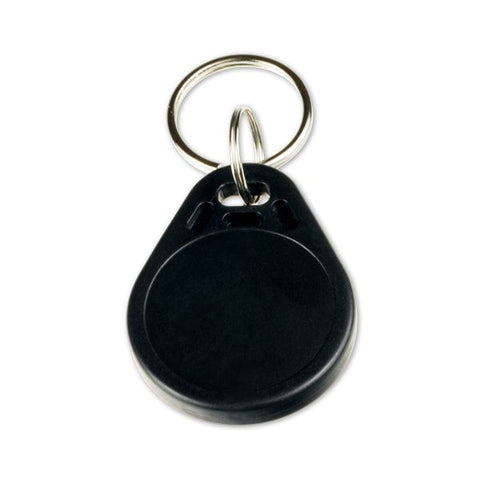
A blue, square-shaped fob shown in the product media. It may look different from your original.
Save $20
White card
Save $20 when you choose the credit-card-size white card.
Check the live product options to confirm the current selection and pricing.
Mail-in required
OEM-style fob
Looks identical to the original fob. You must mail your original fob to Sumokey for processing when selecting this option.
What your configured order includes
With each copy
One selected credential
The blue fob, white card, or OEM-style fob selected in the live product options. The OEM-style option requires mail-in processing.
If selected
Compatible cloning device
Add the device option if you do not already have the required Sumokey hardware. Confirm live device and cable details at checkout.
Included support
Instructions and help
Use the current setup guide and contact Sumokey by email if you need help with the supported workflow.
What you need before starting
- Your working, authorized original Salto PFM04K or PFM01K fob.
- Your selected credential format; the OEM-style option requires mailing in the working original.
- The required Sumokey cloning device and cable, if not already owned.
- A computer that meets the requirements in the current setup instructions.
- A clear view of the original model markings if compatibility review is needed.
Important: Credentials purchased elsewhere are not supported by this kit.
How the Clone-From-Home process works
- Confirm the model. Verify that the working original is marked PFM04K or PFM01K.
- Choose the format. Select the aftermarket blue fob, credit-card-size white card, or OEM-style fob and review current pricing in the product options.
- Confirm the workflow. The OEM-style fob requires you to mail in the original. For Clone-From-Home options, add the compatible device if you do not already have the required Sumokey hardware.
- Prepare your computer. Follow the current setup instructions for the supported computer and connection requirements.
- Complete the selected process. Follow the cloning instructions for a Clone-From-Home format or the provided mail-in directions for the OEM-style option.
Set the right expectations
- Compatibility depends on the original credential and access system; confirm the model before ordering.
- The aftermarket blue fob and white card differ in appearance from the original; the OEM-style option looks identical and requires mail-in processing.
- Test the finished copy anywhere the authorized original is expected to work.
- Keep the original until the new copy has been tested successfully.
- Only copy credentials you own, manage, or have permission to duplicate.
Salto PFM04K and PFM01K copy questions
Is this product for PFM04K and PFM01K key fobs?
Is PFD04K supported?
Which credential formats can I choose?
Do I need to add the cloning device?
What computer do I need?
Can I use a blank credential purchased elsewhere?
May I copy any building-access fob?
Not sure whether your fob is PFM04K or PFM01K?
Send clear front-and-back photos of the complete original and its visible model markings before ordering.
Salto is a trademark of its respective owner. Sumokey is not affiliated with or endorsed by Salto. Product names are used only to describe compatibility.